MockPilot is a complete API workspace inside Chrome: create and test requests, capture live browser traffic, turn any request into a mock, and share API documentation with your team.
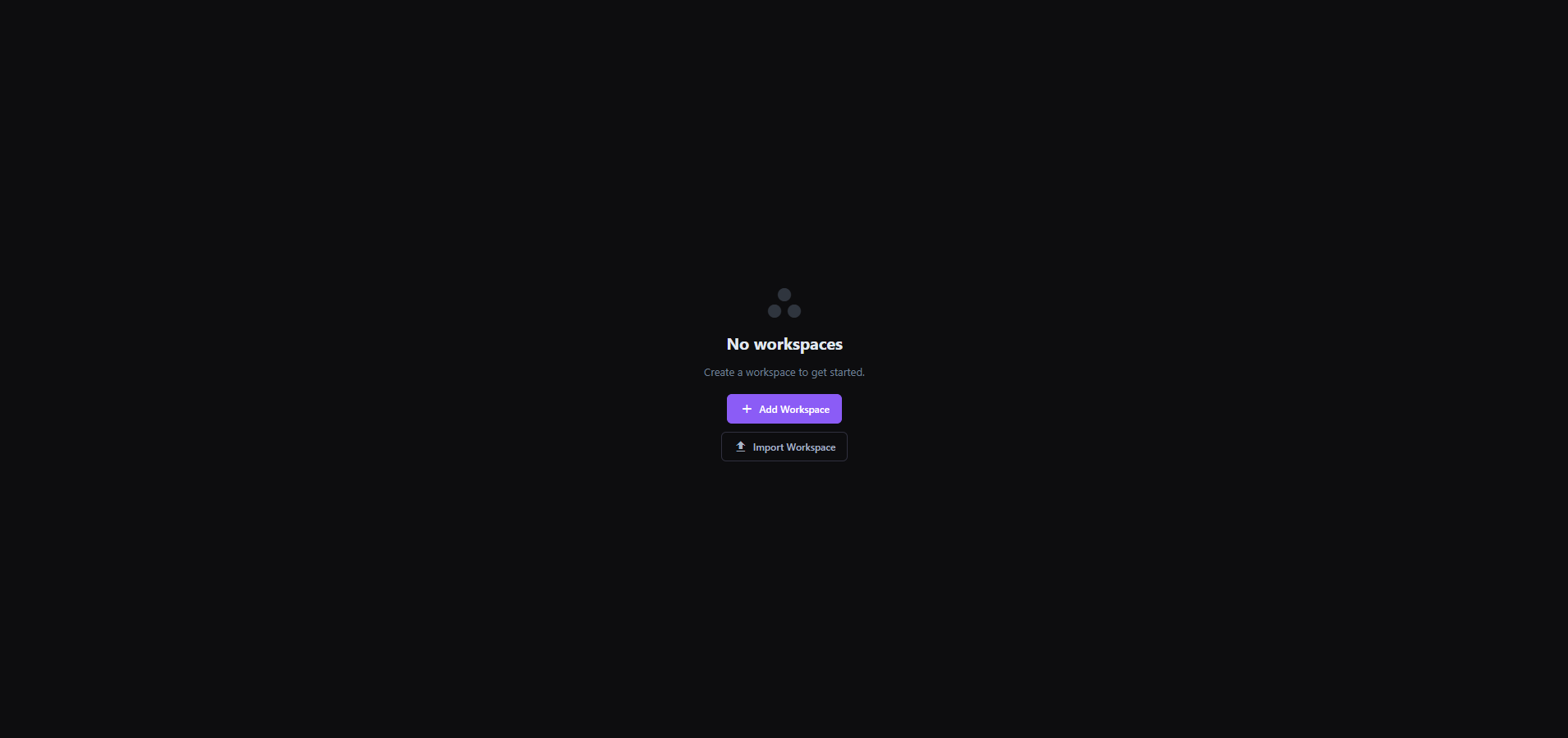
01 First launch: create a workspace or import an existing one.BUILT FOR THE MOMENT BETWEEN“WHY DID THAT REQUEST FAIL?”AND“I FIXED IT.”
After your workspace is ready
One side panel. Five useful modes.
Every part of the workflow connects: the request you create, the traffic you capture, the mock you enable, and the environment you are using.
01 / API EDITOR + HISTORY
→_
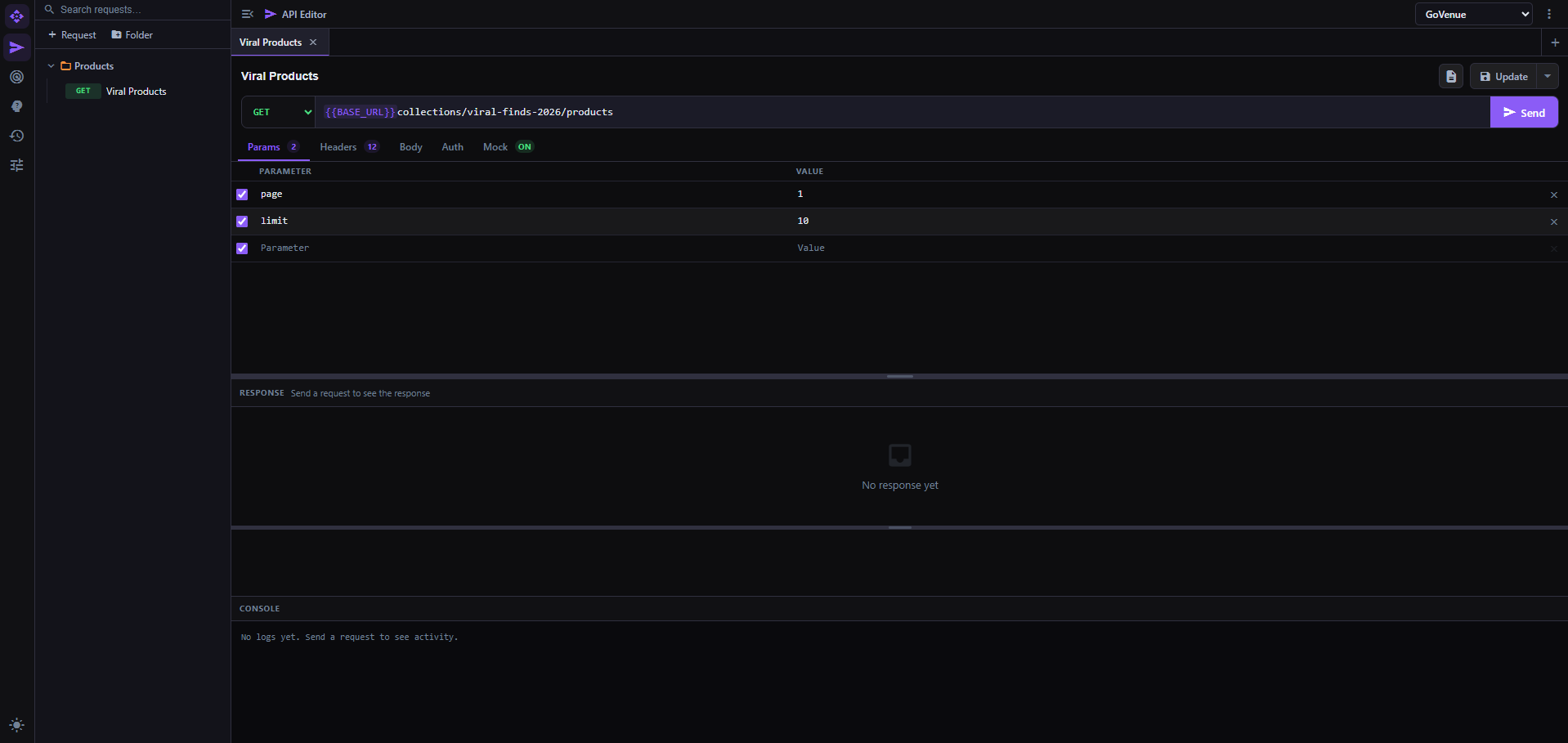
Build, test, save, and share APIs
Create GET, POST, PUT, PATCH, and DELETE requests inside any folder structure. Configure params, headers, body, auth, and response. Replay from history, enable Mock on the same request, or download a formatted Word document for UI developers and teammates.
CRUD + DOCS02 / API CAPTURE
⌁
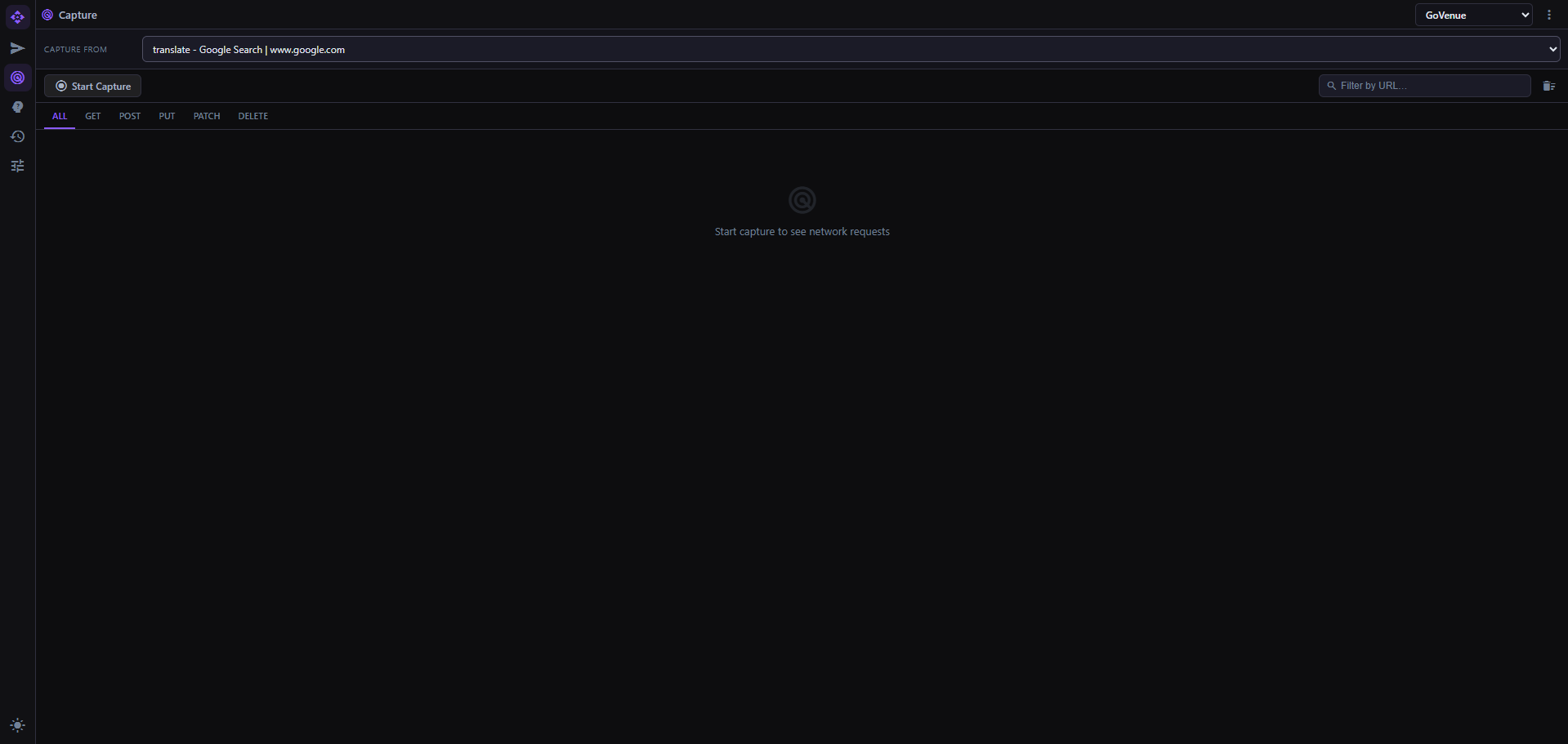
Capture a live tab
Select any current browser tab from the dropdown, start capture, filter its live API logs, and save a captured request directly into API Editor.
LIVE FETCH / XHR03 / MOCK SERVER
◈
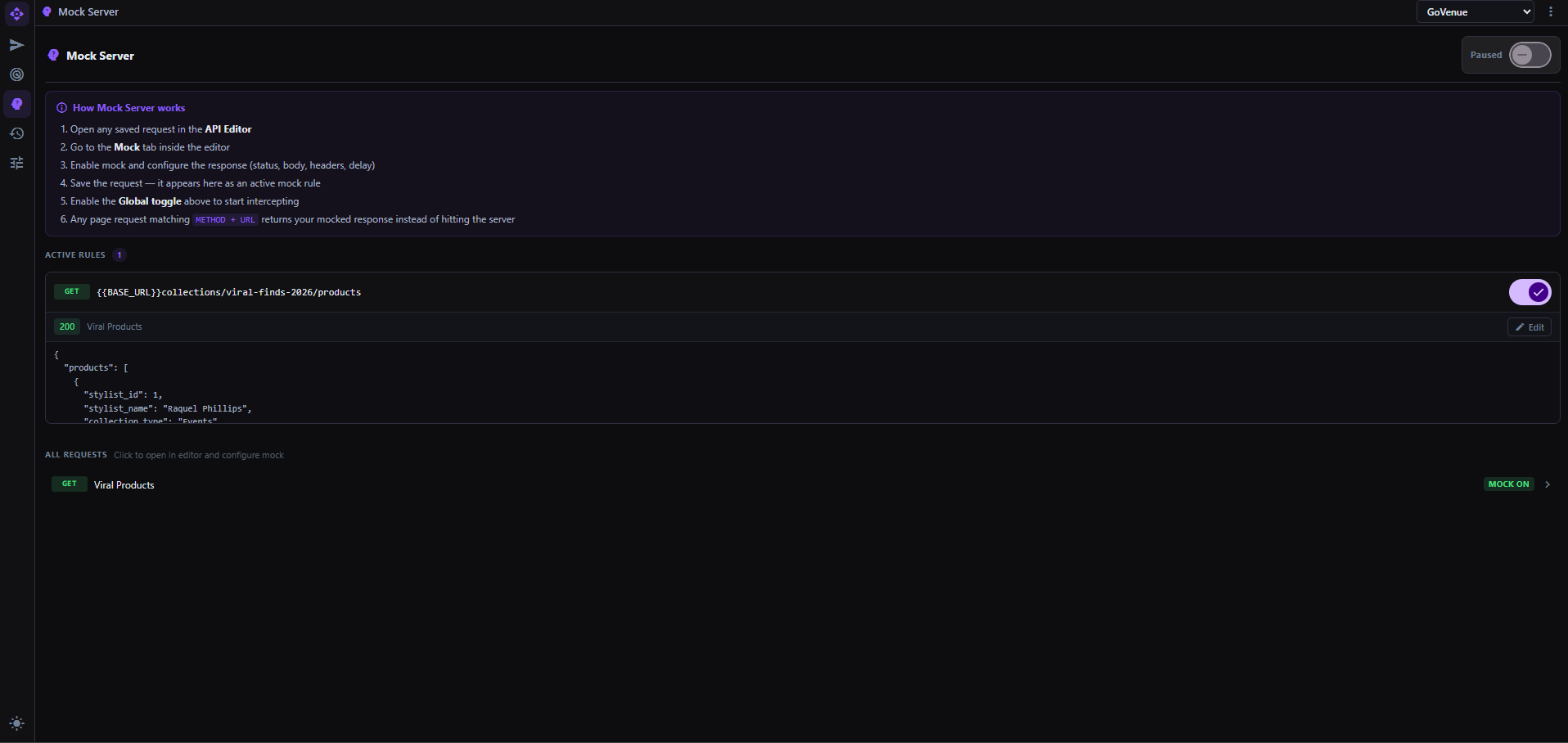
Control every mock rule
See every API with Mock enabled in one list. Toggle individual rules, pause all mocking globally, or edit a rule and jump straight back to API Editor.
GLOBAL CONTROL04 / ENVIRONMENTS
≋
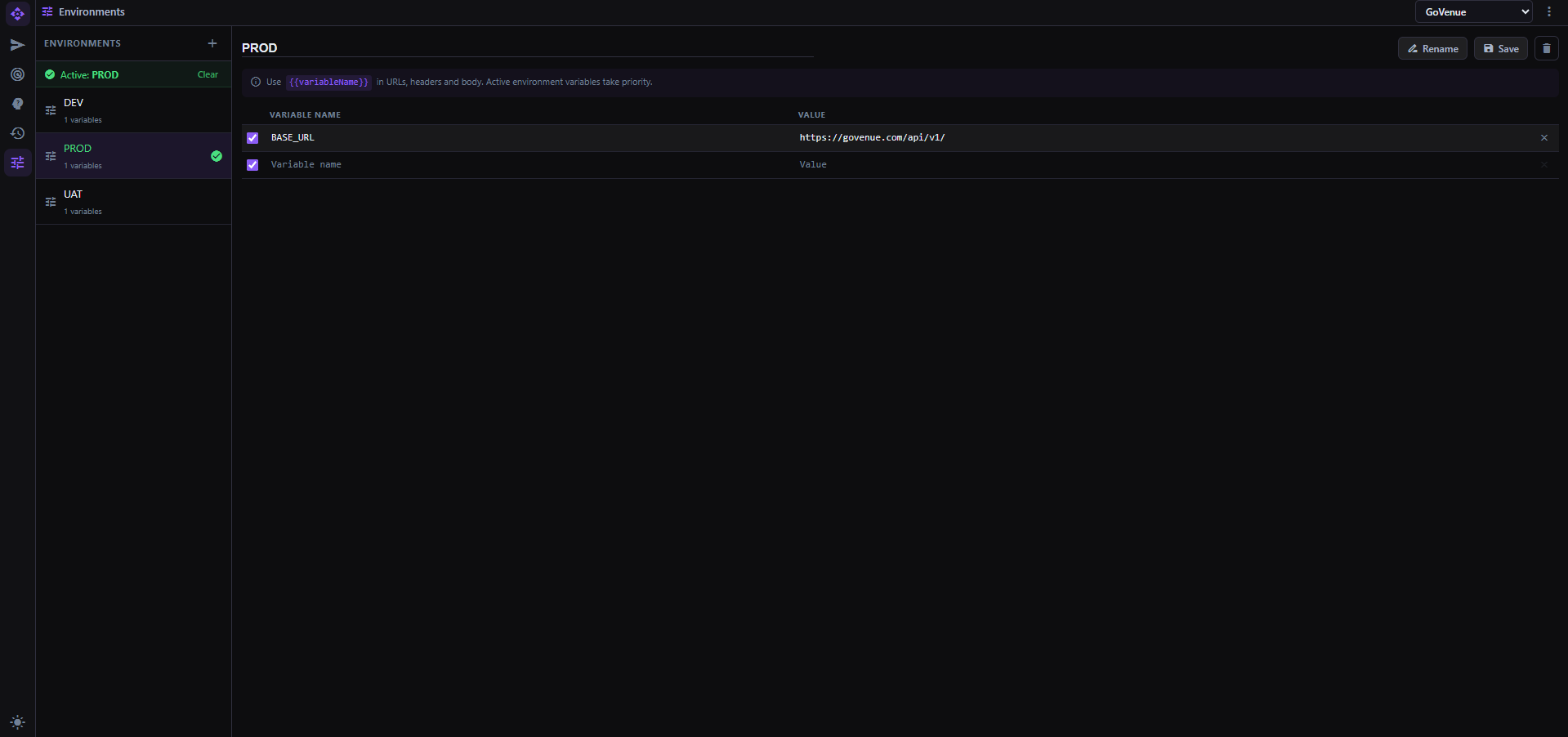
Switch variables without rewriting requests
Create multiple environments per workspace and define variables in each one. Use {{variableName}} anywhere in URLs, headers, or bodies; the active environment supplies the value.
DEV · UAT · PROD05 / WORKSPACES
□
Keep projects portable
Create, rename, update, delete, import, and export workspaces. Your API folders, requests, environments, and mock setup travel together as a workspace file.
IMPORT / EXPORT
API EDITOR Create CRUD requests in folders, test them, enable Mock, and download API documentation.API CAPTURE Choose a current browser tab and capture its live API logs.MOCK SERVER Manage active rules, toggle individual mocks, or pause globally.ENVIRONMENTS Switch DEV, UAT, PROD, or any environment and use its variables across requests.
The MockPilot workflow
Start empty. End organized.
01 / INSTALL
Create or import
Open MockPilot with no workspace, then create a new one or import an existing workspace file.
02 / BUILD
Make the request
Organize APIs in folders, test every CRUD method, and keep request history available for replay.
03 / OBSERVE
Capture the tab
Select a browser tab, start live capture, and save the requests you want into your workspace.
04 / SIMULATE
Turn Mock on
Configure a response per request, manage all active rules in Mock Server, and pause globally when needed.
05 / SHARE
Hand it over
Use environments and variables for each stage, then export the workspace or download API docs.
Local-first by design
Your workspace stays in your browser.
MockPilot stores workspaces, requests, folders, environments, history, and captured requests locally with IndexedDB. There is no MockPilot account or remote workspace dashboard to send that setup to.
Privacy note: API calls still go to the target URLs you test, and browser capture/mocking uses the permissions shown by Chrome.
Yes. Workspace data, requests, folders, environments, history, and captured requests are stored in the browser's IndexedDB. Theme and small app settings use browser storage. MockPilot does not require an account or remote workspace backend.
Does local storage mean API calls never leave my browser?
No. When you send a request, it goes to the target URL you entered. The local-first promise applies to MockPilot's workspace data, not to the external APIs you choose to test.
What permissions does the extension use?
MockPilot uses Chrome permissions for its side panel, active tabs, scripting, network observation, and request capture or mocking. Chrome shows these permissions when you install the extension. Review sensitive URLs and credentials before testing them.
What do I see after installing MockPilot?
A clean “No workspaces” screen with two paths: create a new workspace or import an existing workspace file. Once a workspace is available, the API Editor, API Capture, Mock Server, History, and Manage Environments tools become available.
Can I share API details with my team?
Export the workspace for a full project handoff, or download a Word document from API Editor containing the URL, method, headers, payload, and response in a specified document format.